Here is another solution used to allow for an auto-response from a distribution list.
- We created a shared mailbox as a member of the distribution group to process the rule. I see you are accomplishing this by setting the auto-response from your mailbox being a member of the group.
- To create the rule and have it work even when you are not in Outlook:
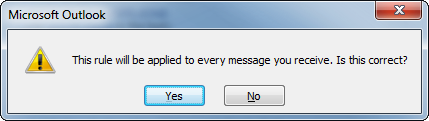
- you must go to Manage Rules & Alerts in the Outlook backstage view > click New Rule > Apply rule on messages I receive > Next > On the “Select Conditions” step click Next > You will receive a prompt to confirm that the rule will be run on any and all incoming messages. Click Yes
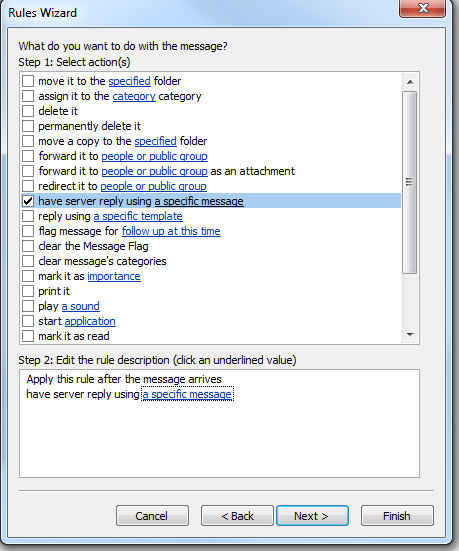
- On the “Select Actions” step choose “have server reply using a specific message”
- In the edit the rule description box on the bottom portion of the dialog click on the “using a specific message” text to enter/paste in your desired message
- When done setting up the server template click the X to close the message and choose Yes to save changes.
- Click Next and choose any exceptions (if applicable).
Submitted by,
Tom Hoffman
Desktop Applications Engineer
-----------------------------------------------------
KIRKLAND & ELLIS LLP