Displaying Negative Percentages in Red
It's easy using Excel's built-in number formats to display negative values in red. What isn't so obvious is how to display negative percentages in red. This is because Excel doesn't provide a built-in format that addresses this situation.
There are different ways you can display negative percentages in red. One way is to use a custom number format.
- Select the cell (or cells) that may contain negative percentages.
- Display the Home tab of the ribbon.
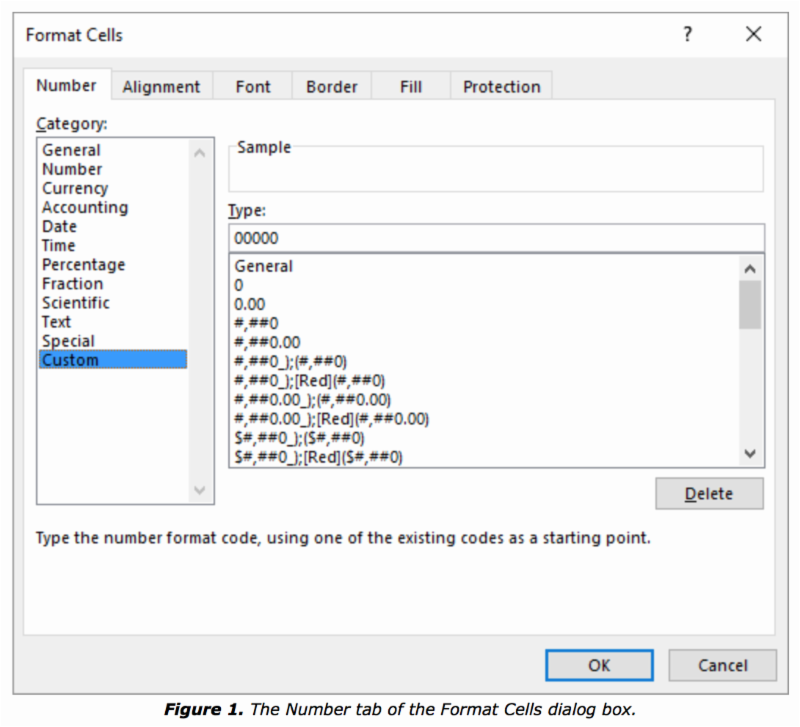
- Click the small icon at the lower-right corner of the Number group. Excel displays the Format Cells dialog box, with the Number tab selected.
- In the Category list, choose Custom. The dialog box changes so you can enter a custom format. (See Figure 1.)
- In the Type box, enter the following: 0.00%;[Red]-0.00%
- Click OK.