Follow a document
You can set up alerts to let you know when a specific document has been modified. Anytime someone edits a document that you are “following,” an email notification will be sent to you identifying the documents as well as the user. To Follow a document, do the following:
- From List view, select the document.
- Click More Options | Follow.
- When the dialog box opens, click Add.
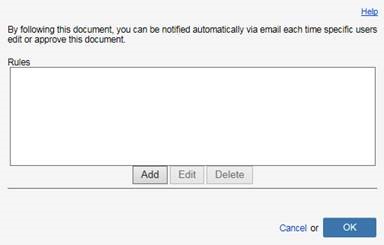
- Click the Users button, then check the All Users box, then click OK.
- Check the box next to Email to be notified via email, then confirm your email is listed. NOTE: Add additional email addresses by separating them with a semi-colon.
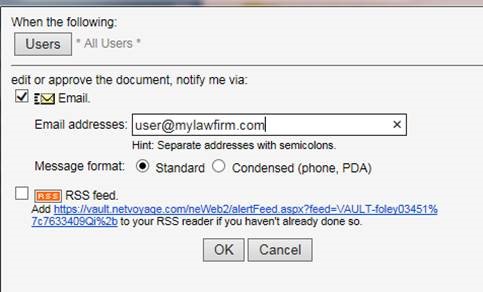
- Click OK to close the dialogs.